
Live View & Focus
See what the camera sees. Check focus, compose, and fine-tune your shot.
Capture faster, automate more, and streamline professional workflows with advanced camera control, easy triggers, and image management tools.Capture faster, automate more, and streamline professional workflows.Get more value from the camera gear you already own.
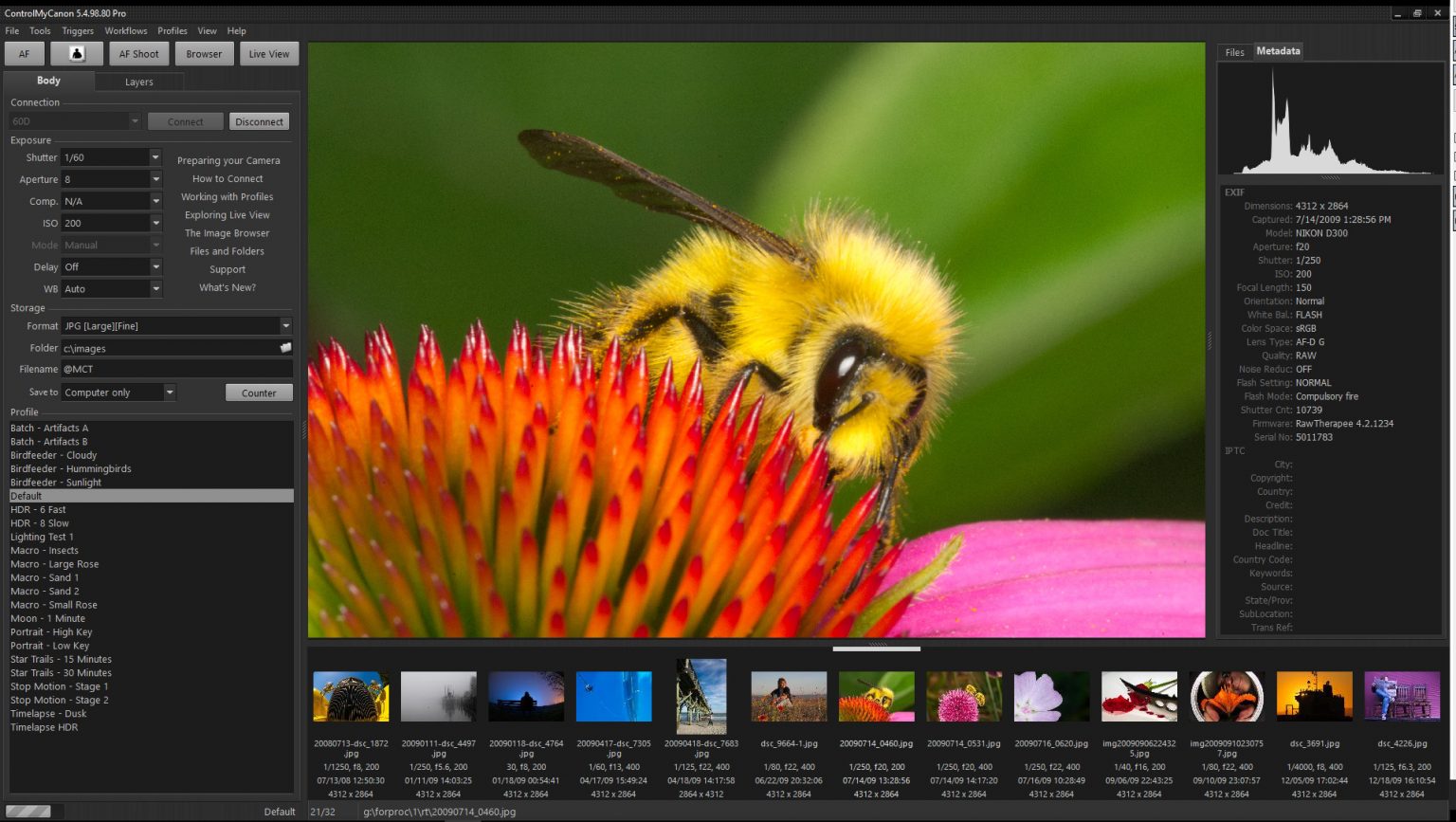
ControlMyCanon with a Canon 60D connected and ready, showing the built-in Image Browser.Using a Canon 60D and Image Browser.
No credit card. No email required.
Ready to try it on your Windows PC?
Get the free trial. No credit card or email required.
60-day Money-Back Guarantee.
Buy once. No subscription.
Includes three licenses.Money-back guarantee, no subscriptions.
Trusted by professionals and enthusiasts inTrusted by professionals in
See what the camera sees. Check focus, compose, and fine-tune your shot.
Keep your files organized by using dynamic image path and filenames with powerful folder and filename tokens.
Trigger captures from motion, sound, speech, TCP/IP, Powerpoint Remote.
Apply metadata, switch profiles, and maintain consistency.
Create repeatable workflows for studio, lab, or field. Includes focus stacking, ISO, HDR, burst, bulb, time-lapse, stop-motion, long-exposure and pulse.
Collect typed or scanned values during capture and reuse them in paths, filenames and metadata.
Embed your own data into image folder/filenames and IPTC fields. Can be used with a barcode reader or manual entry.
Runs entirely on your PC with no cloud dependency and no AI processing.
1D C, 1D Mark III, 1D Mark IV, 1DS Mark III, 1D X, 1D X Mark II 100D/Kiss X7/REBEL SL1, 1D X Mark III, 40D, 200D/Rebel SL2/Kiss X9, 250D/Rebel SL3/Kiss X10/200D MkII, 450D/Rebel Xsi/Kiss X2 50D, 500D/Rebel T1i/Kiss X3, 550D/Rebel T2i/Kiss X4 5D Mark II, 5D Mark III, 5D Mark IV, 5DS/5DS
6D Mark II, 60D, 600D/Rebel T3i, 650D/Rebel T4i, 6D 70D, 700D/Kiss X7i/REBEL T5i, 750D/REBEL T6i/Kiss X8i, 760D/T6s/8000D 77D/9000D, 7D, 7D Mark II 800D/Rebel T7i/Kiss X9i, 80D 1000D/Rebel XS/Kiss F, 90D, 1100D/Rebel T3, 1200D/Kiss X70/T5/Hi, 1300D/X80/T6, 1500D/2000D/Rebel T7/Kiss X90, Rebel T8i, 3000D/4000D/Rebel T100M50/Kiss M, M6 Mark II, M50 Mark II, M100, M200
R, Ra, RP, R3, R5, R6, R6 Mark II, R7, R10
Compatible with
Windows 7, 8, 8.1, 10, and 11. Supports both 32-bit and 64-bit editions.
Reduce re-shoots and post-processing by using live view in a window or full-screen or even on another monitor to make sure your composition and exposure is perfect before you take the shot. You can even capture an image with motion detection.
Remotely autofocus or manually adjust the focus without touching the camera. Includes copystand mode, compositional guides, focus peaking, inner and outer exposure markers, overlays, slide simulation, jitter reduction, rotation overrides and cropping.
And if you are shooting with strobes and find the live view is too dark, you can bump up the brightness so that you can compose with ease.
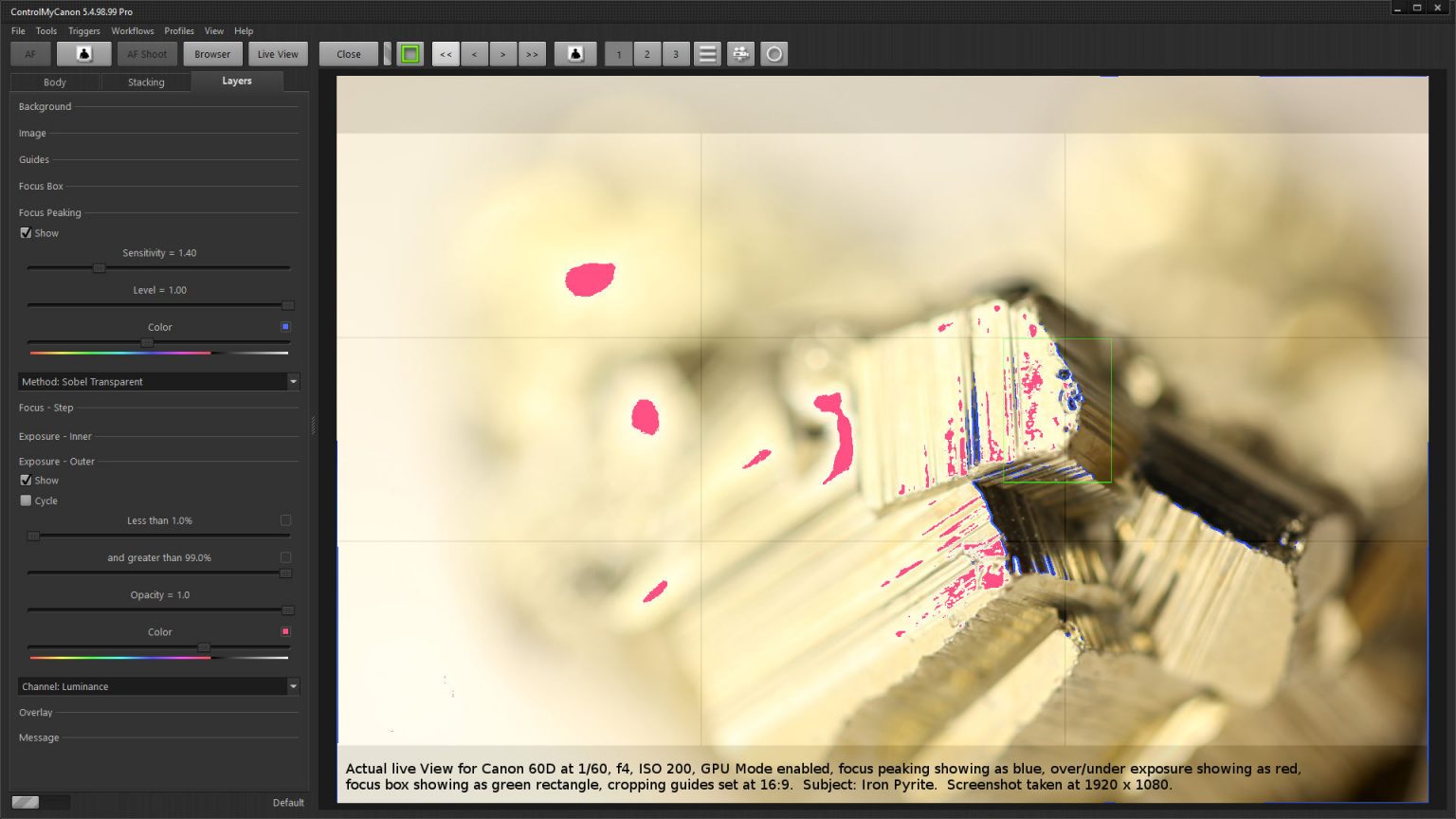
Dynamic File and Folder Names - Take advantage of ControlMyCanon's extensive options for naming files and folders. Use numbering, dates and even embed data from batch shooting sessions. File and folder names modified by a barcode? Yes, it can do that too.
Backing Up - For safe keeping, use ControlMyCanon's optional mirroring function to transfer a copy of your captured image to another location, such as a network or USB drive.
Perfect for those product, school, lab or other shoot that requires accurate record keeping. With the batch shooting feature, you can import a data file in advance of your shoot or query a live database and have ControlMyCanon embed the data into your image filename, folder name and metadata. If you don't have a data file, you can embed the barcode instead.
Use an optional barcode scanner for bulletproof data entry. Keeping all those images organized has never been so easy.
You can even trigger the shutter automatically when you scan the barcode.
Our built-in help system and comprehensive guides will get you up and running quickly.
Connect with other users, share workflows, and get tips from the community.